It’s always been a challenge for me to keep track of what I spend on my photography business—and then pull those records together at tax time. I wanted something simple: a place to record expenses, mileage, and receipts without paying for a long list of features I would never use. With the help of Google AI Studio, I built the first version of that tool and kept shaping it around the way I actually work. The result is FocusLancer.com, a web app for freelancers that is free to use for now.
Although it grew out of my photography work, the problem is familiar to many freelancers. A subscription here, equipment for a project there, a drive to meet a client—each cost is easy to forget until it is time to work out where the money went. FocusLancer brings those records into one place.
SEE THE BIG PICTURE ON THE DASHBOARD
The main dashboard brings the essentials together in one view. I can switch between monthly and yearly views to check expenses, logged mileage, and estimated recurring costs, then look at the spending trend and forecast to see where the year may be heading. It is a quick way to spot patterns and plan ahead without digging through individual entries.
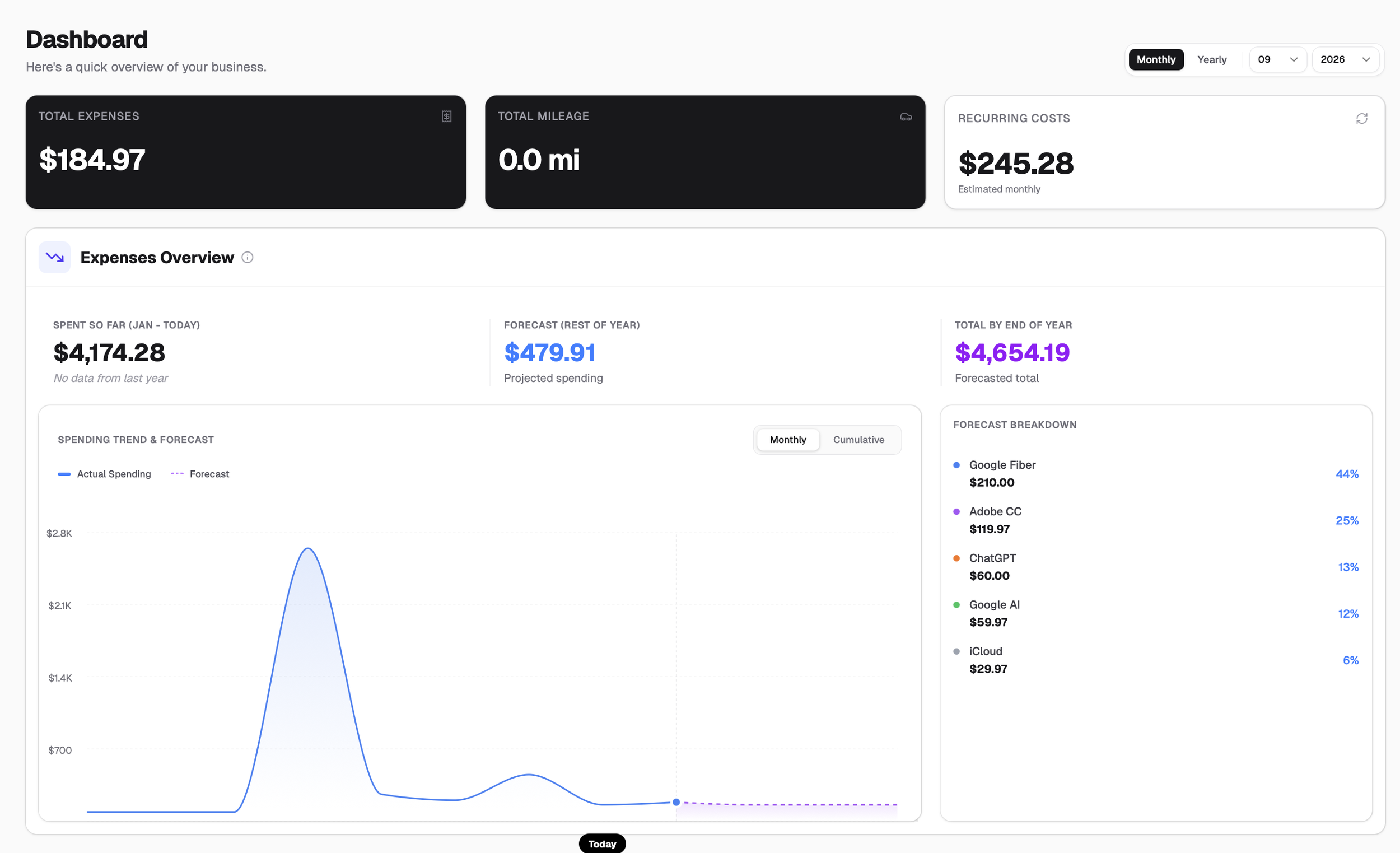
Dashboard at a glance
Compare expenses, logged mileage, recurring costs, and spending trends from one view.
Keep everyday expenses organized
On the Expenses page, you can record a one-time purchase or mark an expense as recurring. Add the amount, date, and category, and attach a photo or PDF of the receipt if you have one. I use it for things like software subscriptions and photography-related purchases, but the same setup can work for other kinds of freelance work. The expense history and category breakdown make it easier to see what you spent in a particular month or year.
Seeing all of those entries in the expense history makes it easier to notice subscriptions that are adding up and keep receipts close to the costs they support.
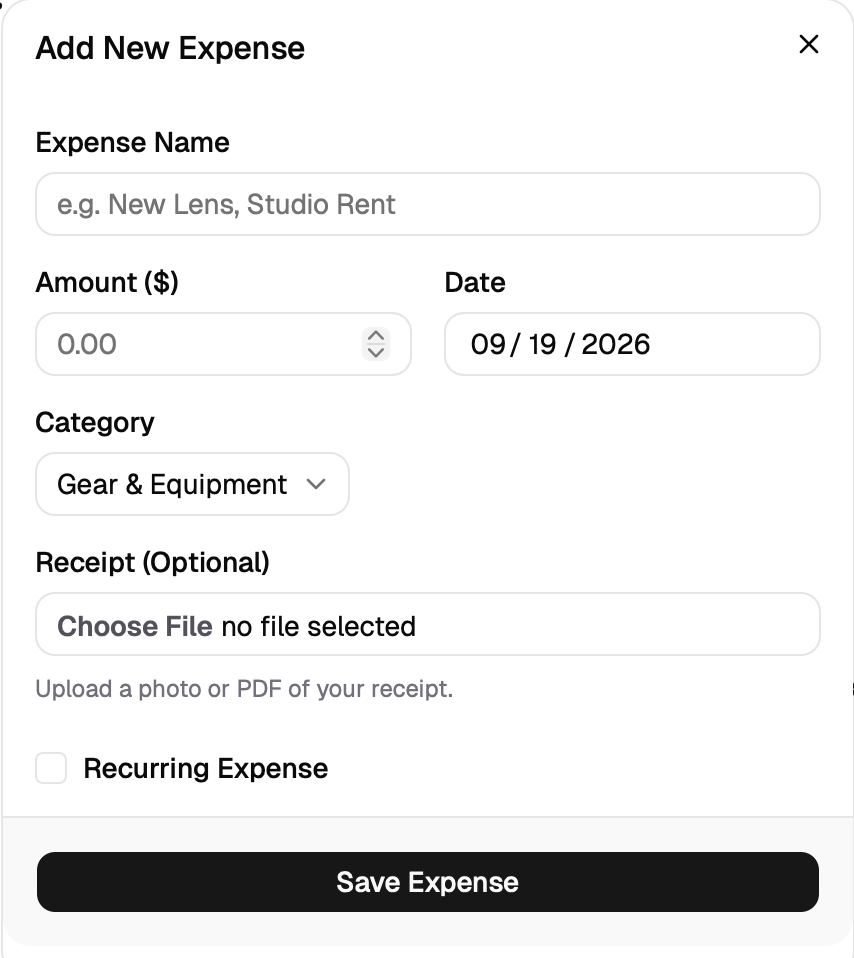
Everyday expenses
Record one-time or recurring costs, choose a category, and attach a photo or PDF receipt.
Log business mileage
If you drive to a client shoot, meeting, or location visit, you can enter the trip’s purpose, distance in miles, and date on the Mileage page. Keeping a log as trips happen is much easier than trying to reconstruct them months later. Whether a particular trip qualifies for a deduction depends on your circumstances and local tax rules, so it is worth checking with a tax professional.
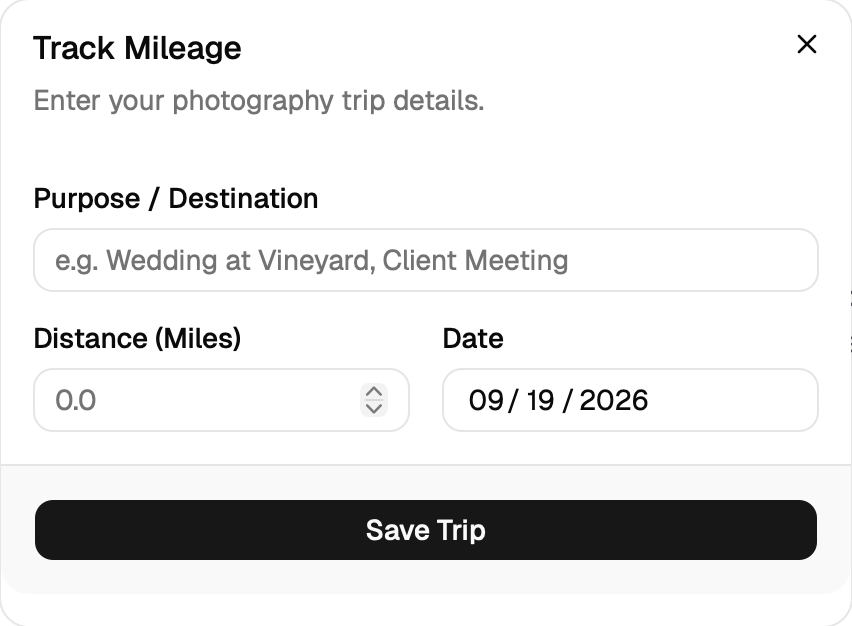
Business mileage
Enter a trip’s purpose, miles driven, and date while the details are fresh.
Know what your gear may be worth
The Studio Vault is for equipment you already own. You can add gear manually, including its brand, model, original cost, purchase date, condition, and optional receipt or invoice. There is also an AI-assisted option to extract details from a gear photo or receipt.
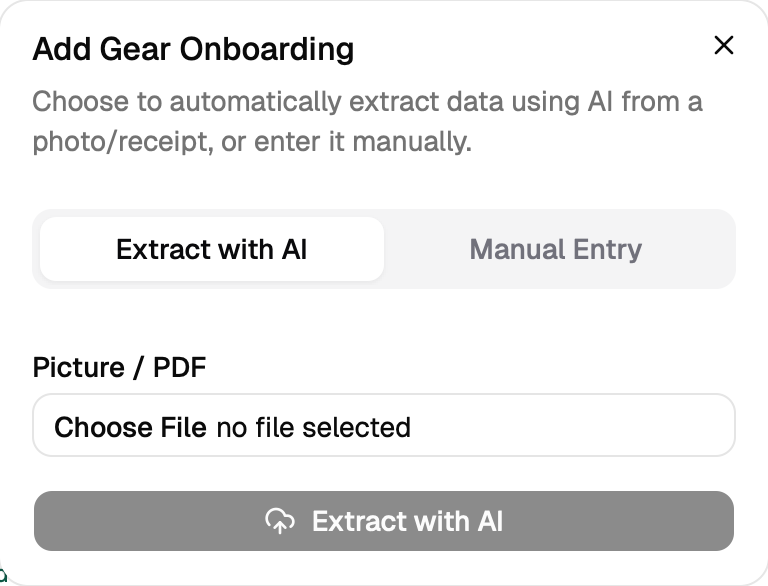
Add your gear
Enter equipment manually, or use AI to extract details from a photo or receipt.
For gear in the vault, FocusLancer can estimate current used-market value and offer a “hold” or “sell” recommendation, with reasoning and source details you can review. I built this because freelancers often have money tied up in cameras, lenses, computers, and other tools. An estimate can help you think about whether to keep using an item or consider trading it in toward an upgrade. It is a starting point for research, not a guaranteed sale price or a substitute for checking the market yourself.
Make tax-season preparation less stressful
When you need an expense summary, the Expenses page lets you choose a month range and generate a PDF report. Since receipts can be attached to expense records, you can keep the supporting documents close to the entries instead of searching through old emails and folders. FocusLancer helps organize the information; it does not decide which costs are deductible or replace professional tax advice.
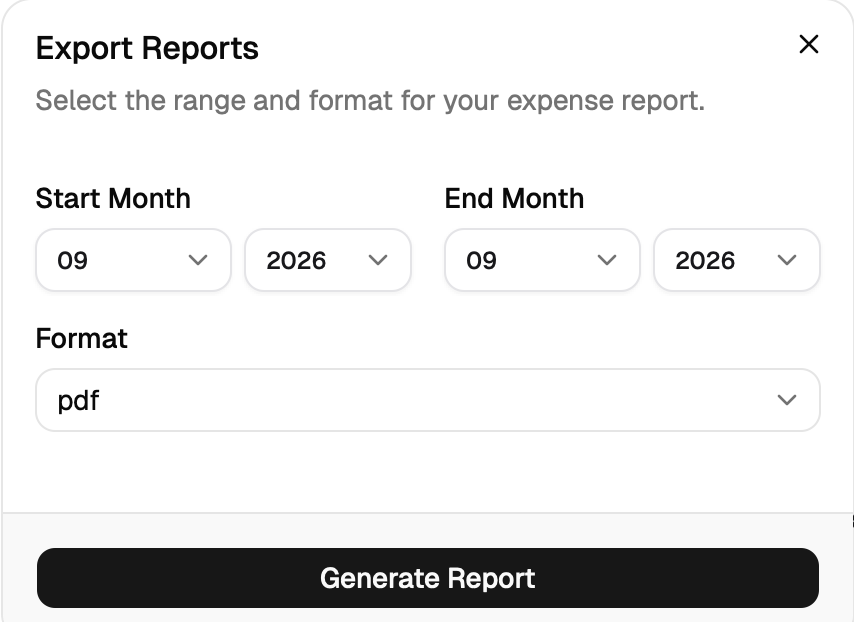
Export a report
Choose a month range and generate a PDF summary of your expense records.
Verdict
FocusLancer is still something I am improving. If you are a freelancer who wants a simpler way to keep an eye on spending, mileage, and equipment value, I would love for you to try FocusLancer.com and let me know what would make it more useful for your work.